CuboAi Review: The Smart Baby Monitor App That Remembers So You Don’t Have To
In partnership with CuboAi
I spent almost two weeks living with the CuboAi app, a baby, a toddler, three different houses and two weekends away, and it was all the little things it does without being asked that won me over.
If you’d asked me a few weeks ago what I wanted from a baby monitor, I’d have said a clear picture and a sound loud enough to wake me. With a baby and a toddler, though, my brain is full. I forget to log naps, I forget to check the clock when I get her up, and I have absolutely been woken at midnight by a lullaby I forgot to switch off once the baby was asleep.
So when CuboAi sent me the CuboAi Sleep Safety Bundle to review, I wasn’t that interested in the spec sheet. We’ve already covered the features in our baby monitor buying guide. This time I wanted to know one thing: does the app actually make life easier, or is it just one more thing to manage? Here’s what I found after using it across three houses and two weekends away.
Setting it up
The bundle comes with the CuboAi Smart Baby Monitor 3, a Floor Stand, a Mobile Stand and the CuboAi Sleep Sensor Pad. Setup was genuinely easy. You thread the power cord through each piece of the Floor Stand before putting it together, clip the monitor on top, then download the CuboAi app and pair it. The app then gets you to mark out the sleep space so it matches the size of your mattress.
There are two tips worth passing on. The Floor Stand base has a bag you fill with water to weigh it down, so you can tip it out when travelling which keeps it from being too heavy. And the Sleep Sensor Pad needs four AAA batteries that aren’t included, which I found out the hard way, so grab some before it arrives.
The bedtime routine I don’t have to remember
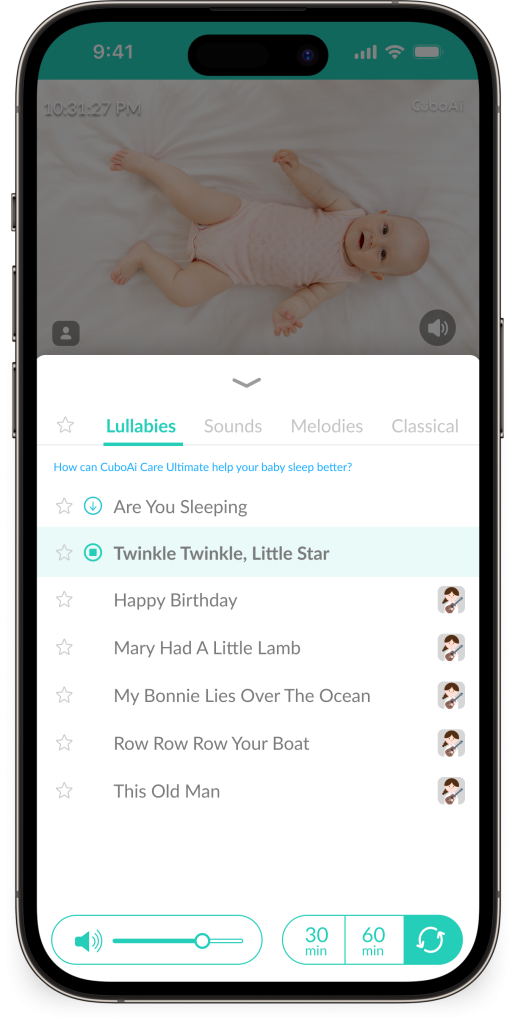
The feature I’d tell every parent about is the lullaby scheduling. I set the Gentle Music Box Melody for bedtime at 7:45pm with AI Detection Auto-Play switched on, which means it doesn’t start until the camera sees her in the cot. It then plays for the hour I’ve set and switches itself off. Nothing plays to an empty room while we’re still doing bath and the bedtime routine, and I never have to remember to turn it off. If you’ve ever been woken by a lullaby at 2am, you’ll know how handy that is.
I set it up for her usual nap times too. Not every nap happens in the cot in our house, and when she’s asleep in the pram instead, it simply doesn’t play. There’s a built-in night light as well, with the brightness adjustable in the app, so between the two it has replaced the separate white noise machine and light we were using.
I thought she was sleeping through
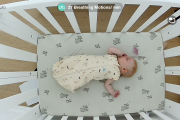
The nighttime sleep report was my biggest surprise. I genuinely thought my youngest was sleeping through the night. On our first night it logged 12 wake-ups, and her longest stretch was an hour and a half. She’s stirring for a few minutes at a time and putting herself back to sleep without a peep. Nothing about our routine has changed because of it, but I’ve loved seeing what her night really looks like.
It’s all logged automatically, which matters for someone like me. I’ve tried sleep tracking apps before and always forgot to log anything.
Three days of footage, already tagged
The app keeps 72 hours of video you can scroll back through, and it’s included on every plan. The timeline is tagged with what happened, so you can jump straight to a cry, a cough or a “caregiver visit”, which is the app noticing when my husband or I went in. When you’re doing night wake-ups on autopilot, it’s surprisingly useful to be able to look back at what actually happened at 4am.
The moments I’d otherwise have missed
This is the part I didn’t expect to love. The app captures little photos and videos through the day and saves them to a Moments Wall, plus a daily highlight reel that I’ve taken to watching once they’re both asleep.
It caught her very first roll. It also caught my toddler reaching through the cot bars to give her crying little sister a pat before I’d even made it into the room. I would never have seen that, and now I have it saved on my phone.
It tracks height as well, although it needs your baby out of their sleep suit to measure, so I popped her down awake for a quick photo.
The alerts I actually use
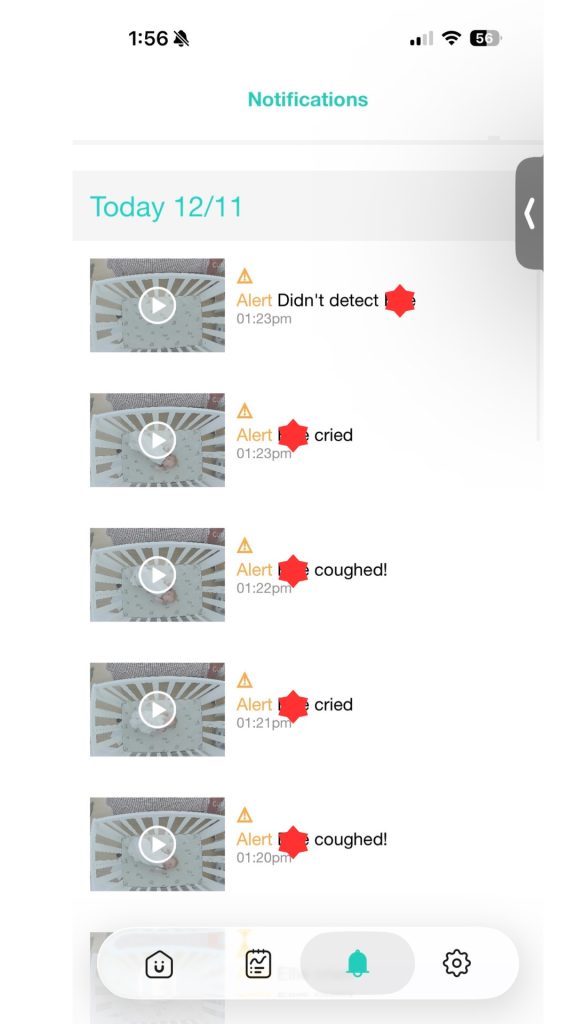
The cry alerts, which CuboAi calls True Cry Detection, have been accurate every time, so when one comes through I know it’s worth checking. I’ve only used the two-way audio once, but it earned its keep. My husband was settling her and couldn’t find something, so I told him where it was through the monitor without having to go in.
With the sound on, I can hear her through my phone even when it’s locked and I’m not in the app, so I’m not straining to catch a notification. When I only want alerts and not every snuffle, I turn the sound off. My husband has the app too and gets exactly the same notifications.
She’s just started rolling from her back to her tummy but can’t roll back yet, so the rollover alert has been handy during the day. It comes through instantly and I go in and pop her back onto her back. The cough alerts were accurate, although I’m not sure how much I’d use them day to day.
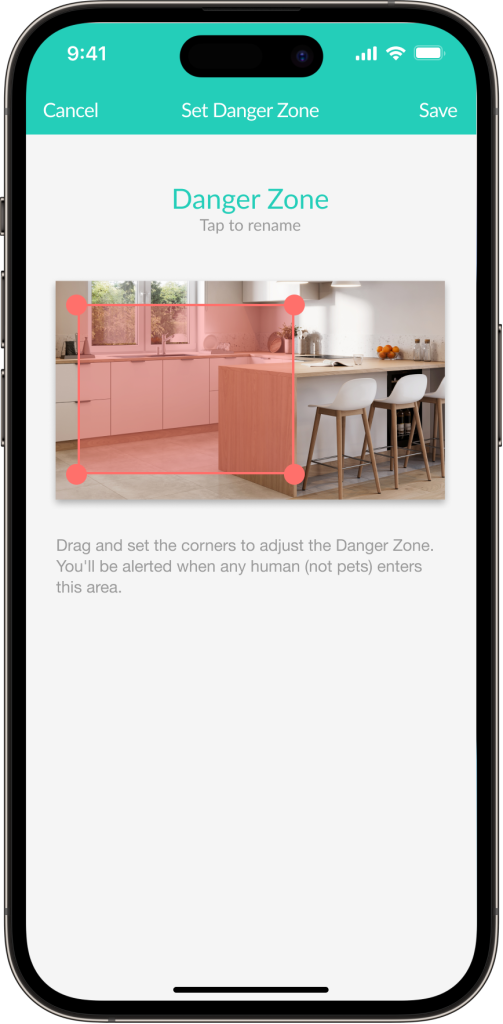
At the moment we’re staying with family, with the girls sharing a room downstairs, so the monitor is on the Mobile Stand. I’ve set up a danger zone so I get an alert if my toddler climbs out of bed. It means I can put them both down and still enjoy a bit of the evening upstairs before we go to bed ourselves. We’ve also taken it on two weekends away, and moving it to a new house and a new wifi network took a couple of minutes each time.
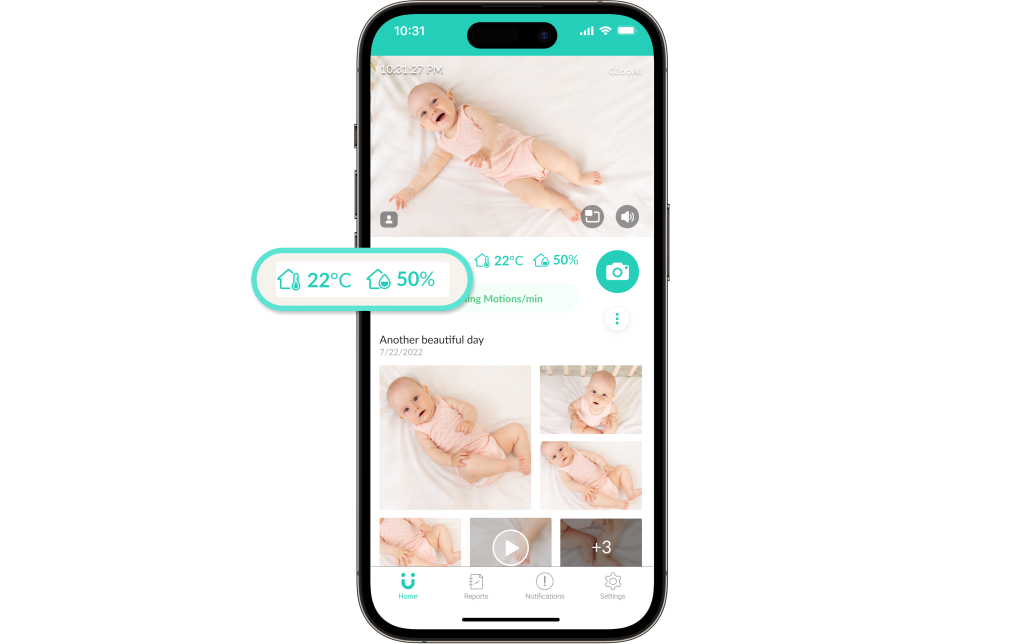
The room temperature and humidity readings have been handy for deciding what to dress her in. That sensor is a separate plug-in piece, though, so remember to pack it if you take the monitor away.
The Sleep Sensor Pad
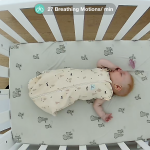
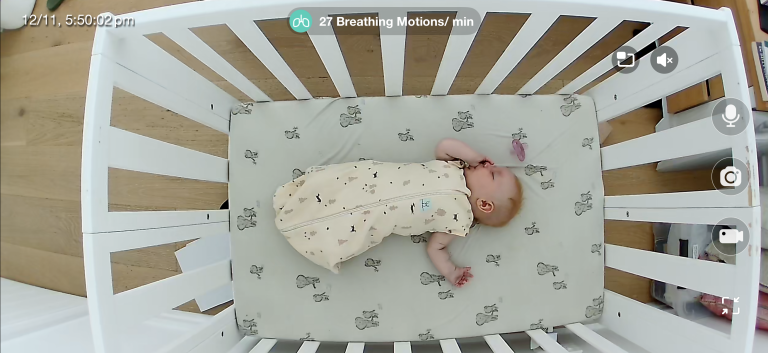
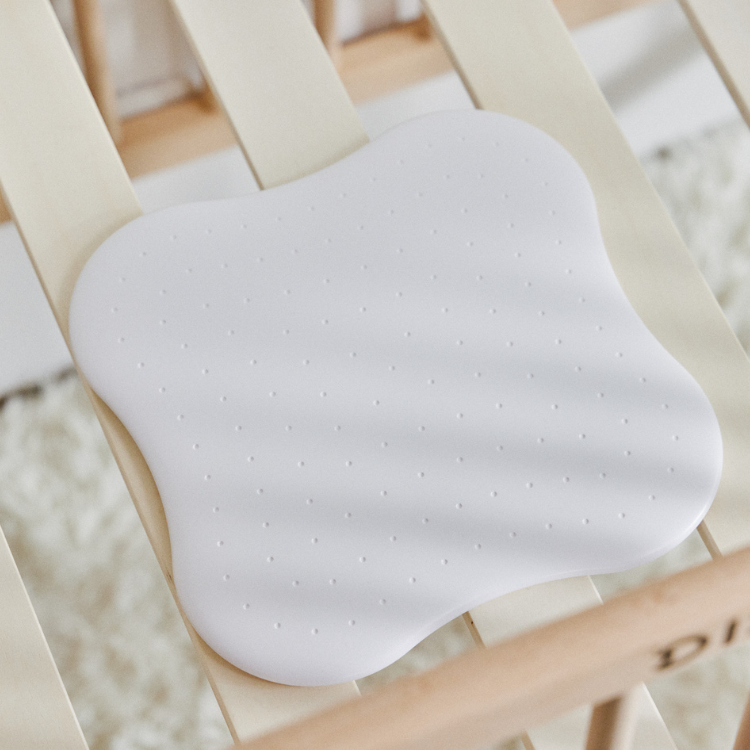
The Sleep Sensor Pad sits under the mattress and shows her breathing motion live in the app. If the camera sees your baby in the cot but the pad picks up no breathing motion, it sends an alert.
I had one false alarm. I’d left her sleep suit in the cot, the camera read it as her, the pad found no movement, and I got the alert. It was an easy fix and a good reminder to keep the cot clear. CuboAi says itself that the pad doesn’t replace adult care or a medical device, and no monitor replaces safe sleep practice. Red Nose has the guidelines here [link: Red Nose safe sleeping page].
Premium or Ultimate?
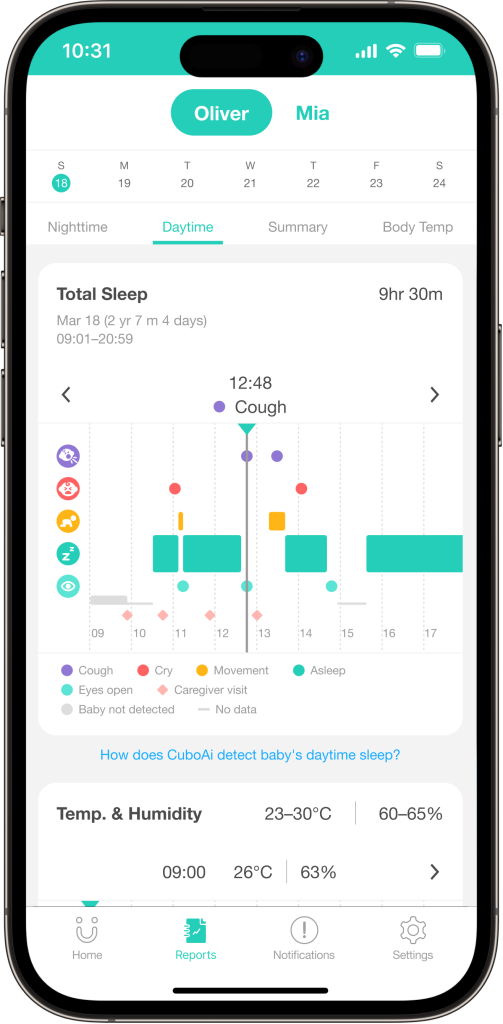
The monitor comes with 12 months of CuboAi’s Premium plan free. That includes the nighttime sleep report, daily highlights, the Moments Wall and one lullaby schedule. I also trialled the Ultimate plan, which adds daytime sleep reports, a daily sleep summary, more lullabies and up to 10 schedules. I’d set up four.
I loved the daytime reports. I’d open the app to see when she last woke so I knew when to put her down for her next nap, because I’m hopeless at looking at the clock when I get her up. The catch is that they only work for naps in the cot. In our house one or two naps a day happen in the pram or the car, and you can’t add those manually, which I’d love to see added.
My first didn’t sleep. When she was little I kept a sleep diary of every wake-up to take to Tresillian and our doctor, and I would have loved something that did it for me. If that sounds like you, Ultimate is worth a look. My second is a good sleeper, so for us it’s more of a nice-to-know. Will I upgrade? Probably, but Premium covers everything I’d call essential.
What surprised me, good and bad
The good surprise was how much of it runs itself. The music, the sleep logging, the highlights and the playback all happen in the background without me doing anything.
I will say there are a few things worth knowing before you buy. The daytime reports sit behind the Ultimate plan and only count cot naps. On the Mobile Stand you don’t get rollover alerts or sleep reports, because those need the camera looking straight down from the Floor Stand. Premium only allows one music schedule, and the sleep suit false alarm showed me the cot really does need to be clear.
Is it worth it?
I went in caring about picture quality and came out caring about everything the app remembers for me. If you’re someone who forgets to log naps, switch off the white noise or check the clock, this is the monitor I’d point you to. If sleep data stresses you out, you can ignore the reports and still get the scheduled music, the alerts and three days of playback. For our family it has earned its spot on the cot.
Price and availability
The CuboAi Sleep Safety Bundle is $509 (RRP $639) in CuboAi’s Black Friday sale, which runs until 30 November. You can also buy the CuboAi Smart Baby Monitor 3 on its own. Premium is free for the first 12 months, and Ultimate is an optional upgrade at $12 a month.
Disclosure: I was sent the CuboAi Sleep Bundle for the purpose of providing an honest review. All thoughts and experiences expressed here are my own.