Before You Buy a Baby Monitor: 14 Features Worth Paying More For
In partnership with CuboAi
Shopping for a baby monitor can feel overwhelming if you don’t have a clear idea of exactly which features are important to you. Some baby monitors are very basic, audio-only units, whilst others feature a camera that lets you watch your baby via an app on your phone from anywhere. Then there are monitors that are so packed with so many features it’s hard to know which ones are genuinely useful and which ones are just a novelty. Assuming that you need to buy the most expensive baby monitor on the market, could leave you with a handful of features you never touch and a list of ones you wish you had, along with a serious dent in your wallet.
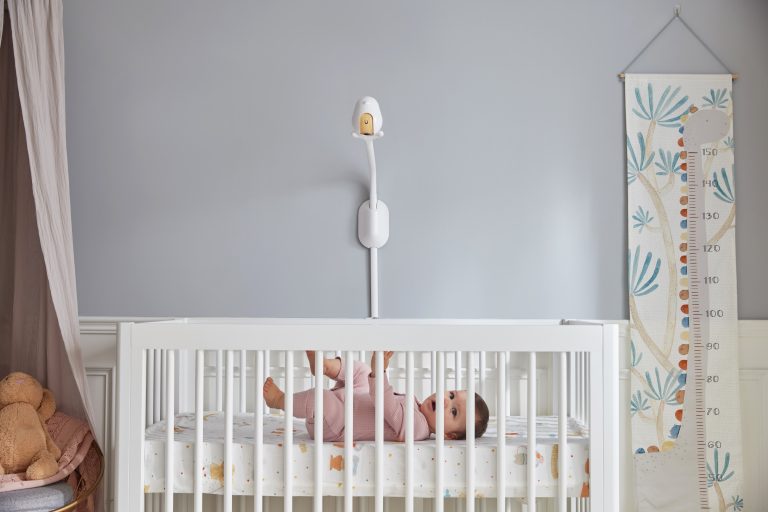
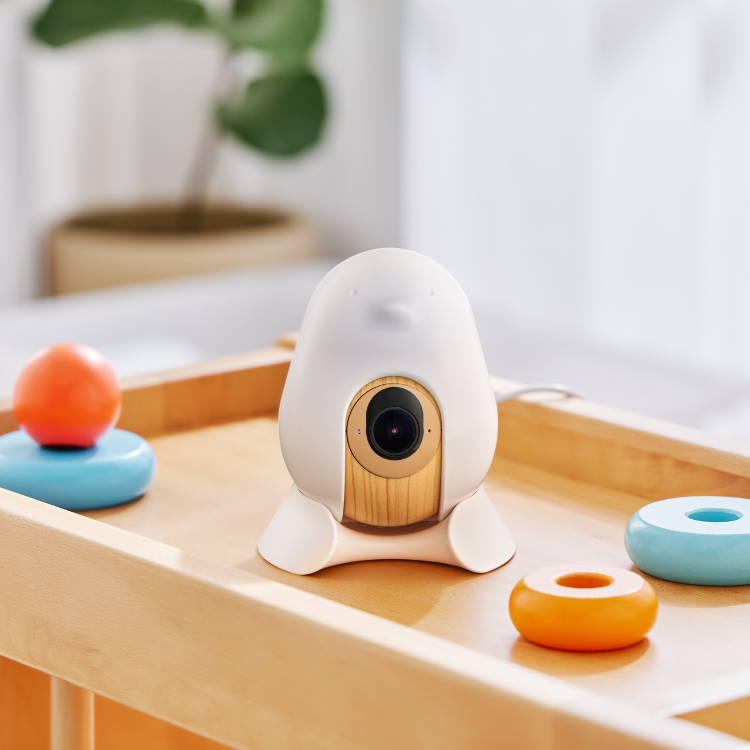
Here are 14 features worth looking for in a baby monitor, using the CuboAi Smart Baby Monitor 3 as our example. It’s won many awards, including the Bounty Baby Awards Best Baby Monitor Gold Medal in 2025 and 2026, and the 2026 Kiindred Award for Best Tech-led Brand taking out both the Experts Choice and Parents Choice Awards. After looking through these features, you’ll understand why it’s rated so highly. We’ve split them into safety features first, then the other features that come in really handy and are worth paying more for.
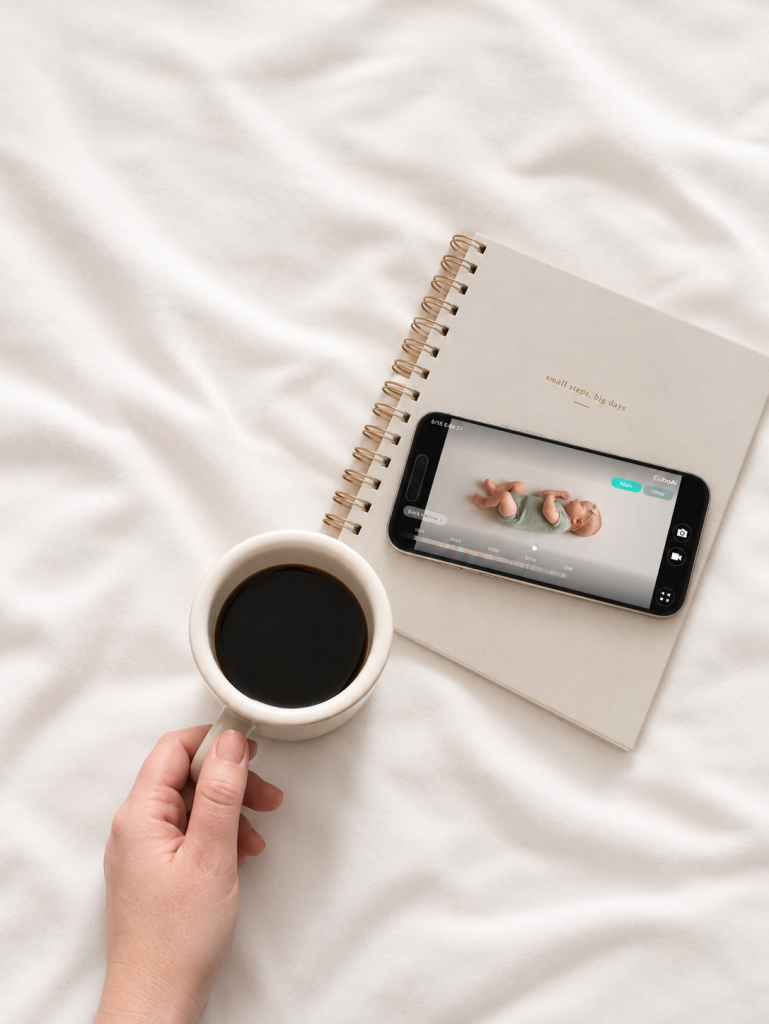
Some of the features below are part of CuboAi Care, the app subscription that comes with the monitor. Every CuboAi Smart Baby Monitor 3 includes 1 year of the Premium plan free, which starts when you first pair it with the app, and there’s also a free Basic plan and a paid Ultimate plan. Where a feature depends on a plan, we’ll let you know.
Safety Features
Safety features are what most parents look at first, because they are the ones that can give you more peace of mind when you can’t be in the room with them. As helpful as these features can be, it’s important to remember that none of them replace safe sleeping practices, so make sure you always follow the Red Nose Safe Sleeping Guide
Covered Face and Rollover Alerts
Whilst a basic monitor is only helpful if you happen to be looking at the screen, the CuboAi Smart Baby Monitor 3 uses AI to watch for a covered nose or mouth and for rollovers and sends an alert straight to the app. CuboAi says its detection is 6x faster than its previous model, and it’s designed to cope with swaddled babies as well as wriggly ones. CuboAi lists this safety feature as being suitable from newborn-6 months, which is exactly when most of us want the most reassurance.
Breathing Motion Detection
Sold separately from the monitor
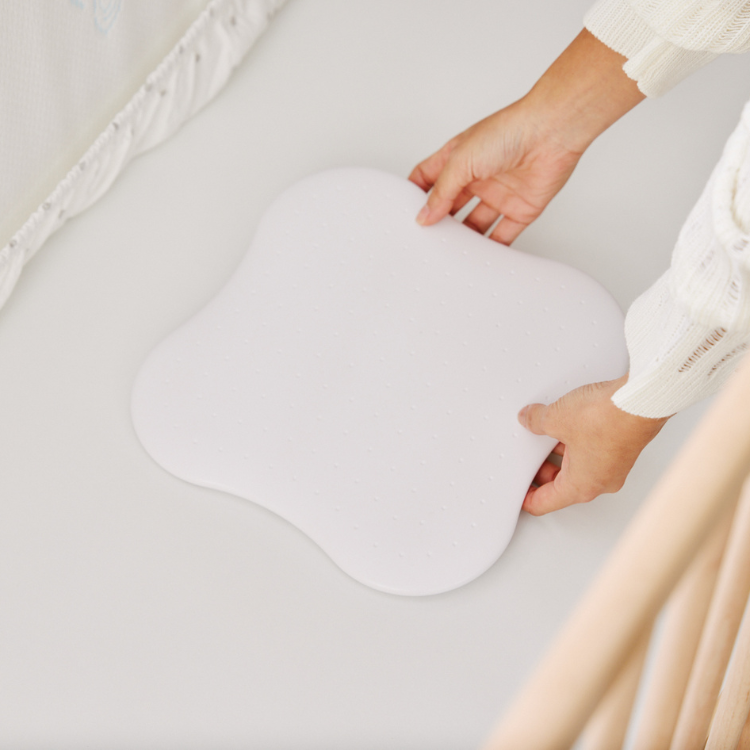
If you find yourself leaning over the cot to check that your baby is breathing, breathing motion detection is another feature that may help to put your mind at ease. It uses the CuboAi Sleep Sensor Pad, a non-contact pad that sits under the cot mattress, out of sight. Four motion sensors pick up breathing motions across the mattress, and CuboAi says that’s four times more coverage than what’s offered by other monitors on the market, so it can keep up when bub moves around the cot. If the monitor confirms that your baby is in the cot, but the pad detects no breathing motion, you get an alert n your phone straight away.
The CuboAi Sleep Sensor Pad is sold separately from the monitor but does come as part of the CuboAi Sleep Safety Bundle. Like the camera alerts, it offers parents greater peace of mind but doesn’t replace safe sleep practices.
A 2.5K QHD Camera with Wide-Angle View
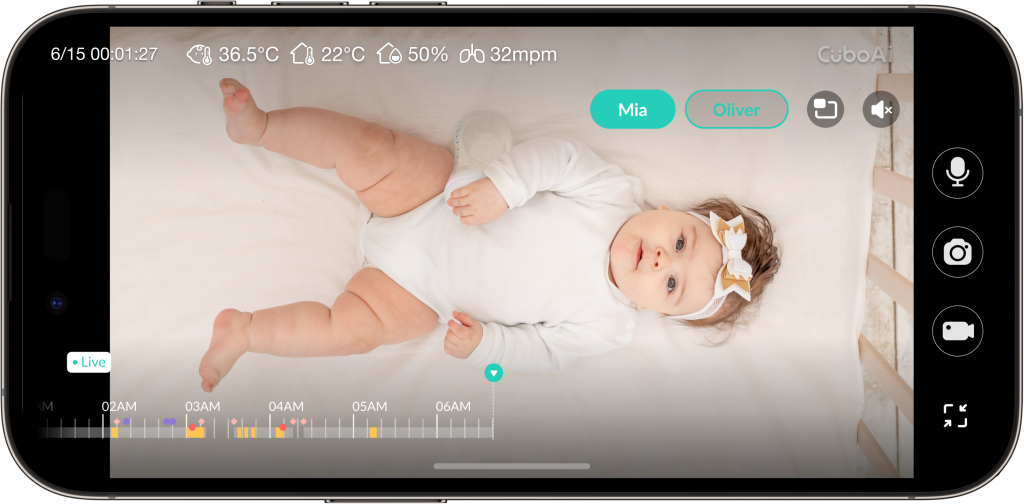
Better image quality might be something you’re not sure is worth prioritising, but trust us, it can make all the difference when you wake in the night and you’re trying to figure out whether your little one is just stirring or properly awake. A sharper image helps you tell the difference more easily so that you aren’t checking in on them too soon and undoing twenty minutes of settling. The CuboAi Smart Baby Monitor 3 has a Sony 2.5K QHD camera with day and night vision and a 135 degree wide-angle view, which takes in the whole cot instead of just one corner of it.
Night Vision with No Visible Red Light, Plus a Night Light
The problem with some baby monitors that offer night vision is the red glow they cast in the room. The CuboAi Smart Baby Monitor 3 has no visible red light, providing clear night vision without lighting up the nursery. There is also a soft built-in night light, which allows parents to keep the lighting low so they can perform night feeds and nappy changes without having to flick on the main light and wake everyone up. Having both features means you can check on bub or settle them with very little disturbance.
True Cry Detection
Cry detection sounds basic, but when you consider how many little noises your baby can make, it’s useful to have a monitor that can tell a cry from an everyday noise. CuboAi is built to separate background sounds in the room from your baby’s actual cries, and it sends an alert to your phone when it hears one. The app also lets you choose between hearing background audio or just getting an alert.
Danger Zone Detection
Free for the first year then needs a CuboAi Care plan
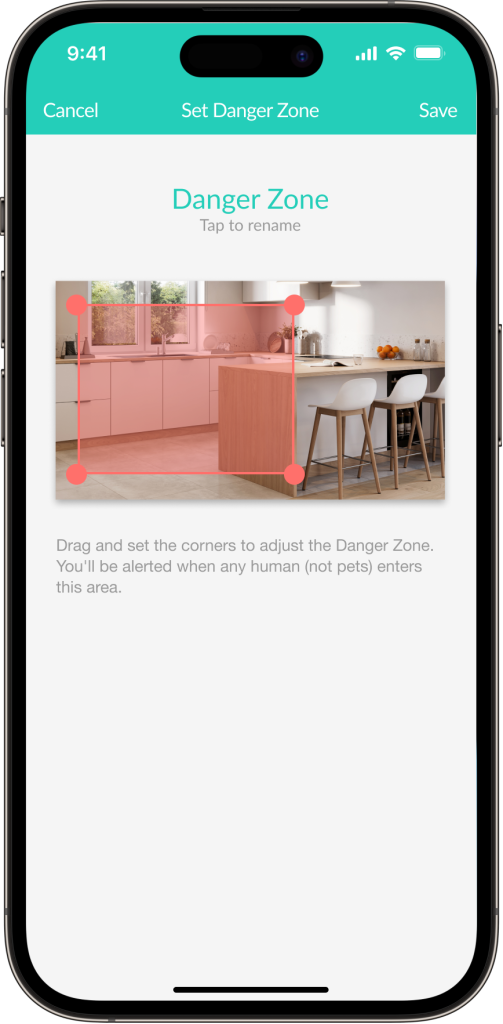
The danger zone detection is a feature you’re more likely to use as your child gets older and is no longer confined to their cot. It allows you to draw a danger zone on the camera view such as the edge of the cot or toddler bed or the doorway, and the app warns you if your little one enters that area. This is a feature that’s easy to overlook when your baby isn’t yet mobile, but it’s a stage that often arrives faster than most of us expect.
Other Features That Are Really Handy
These features are the ones that make day-to-day life with a baby easier, from understanding how bub is sleeping, to keeping the whole family in the loop. They probably aren’t the reason most parents initially buy the monitor, but they just might be the ones you find invaluable on a day-to-day basis, or when your child is going through a new phase or is unwell.
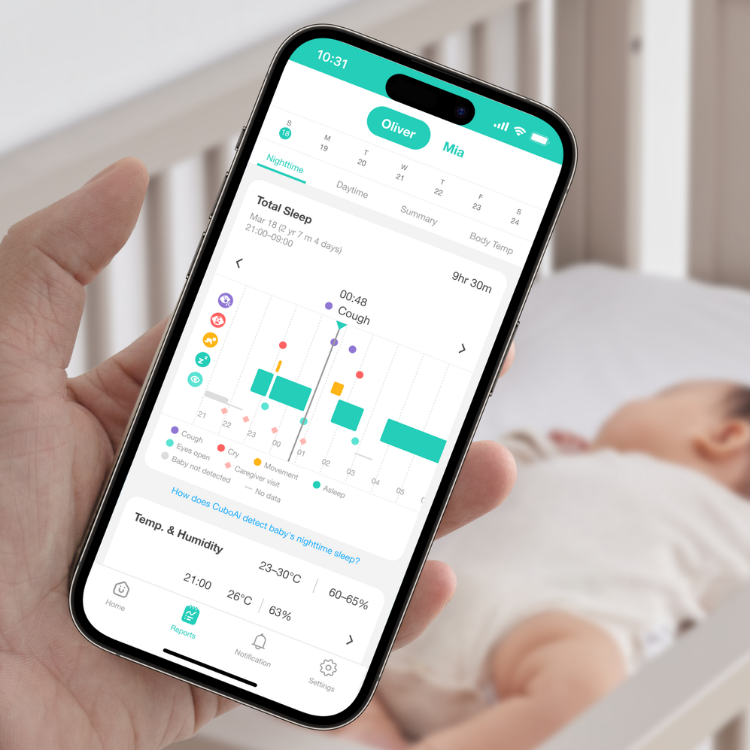
Sleep Reports and Analytics
Sleep analytics are free for the first year and then need a CuboAi Care plan. The daytime nap report and daily sleep summary need the Ultimate Plan.
Sleep tracking is one of those features you probably think you won’t need until you’re trying to work out why your baby suddenly no longer wants to follow the nap schedule that you thought you were both nailing. The app builds a night time report that sums up the night’s events and is ready for you in the morning, a daytime nap report and a daily summary that puts the two together. It also tracks how long bub takes to fall asleep, tags the moments a caregiver comes in and automatically records sleep events so you can look back over patterns. This makes it much easier to settle on a routine, or to give your child health nurse or doctor a clearer picture than just saying that he or she “wakes a lot.” This is a great feature to have well past the baby stage too.
Three Full Days of Video Playback
Most basic monitors only show you what is happening right now, so if you miss something, it’s gone. The CuboAi Smart Baby Monitor 3 lets you review up to 3 full days (72 hours) of continuous video playback with highlights tagged for key events, with no additional fees required.
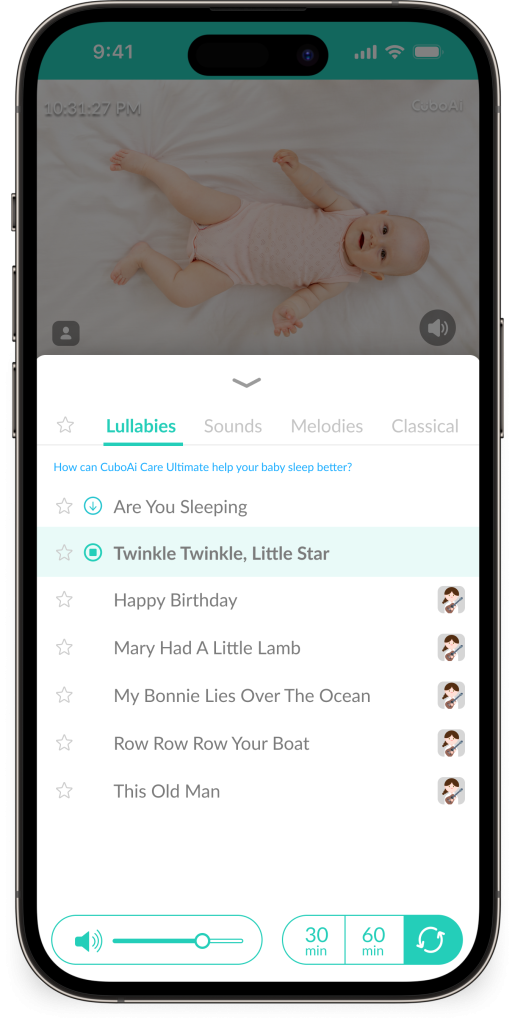
Scheduled Lullabies
Playing lullabies is included with the monitor. One automatic lullaby schedule where the lullabies start on their own at set times, is free for the first year, then needs a CuboAi Care plan. Up to 10 schedules and the music therapist playlist need the Ultimate Plan.
The CuboAi Smart Baby Monitor 3 has a built-in lullaby library with classical music, lullabies and white noise so you can find what suits your baby. The scheduling feature takes it a step further by playing chosen sounds automatically when baby is detected in the cot, which helps to build a consistent bedtime routine without you needing to press play every time. If you’d like more variety, the Ultimate Plan adds a playlist curated by a music therapist and up to 10 schedules, so you can set up schedules for both naps and bedtime.
Growth Tracking
Free for the first year then needs a CuboAi Care plan.
Growth tracking measures your child’s height automatically, with no wearables or accessories needed, giving you a record of growth between check-ups, so you’re not trying to hold a tape measure up against a wriggly baby. It’s a convenience feature more than a safety one and doesn’t replace the measurements taken by your child health nurse or doctor, but it’s a nice way to keep a running record and can be used from birth right through to the toddler and preschool years.
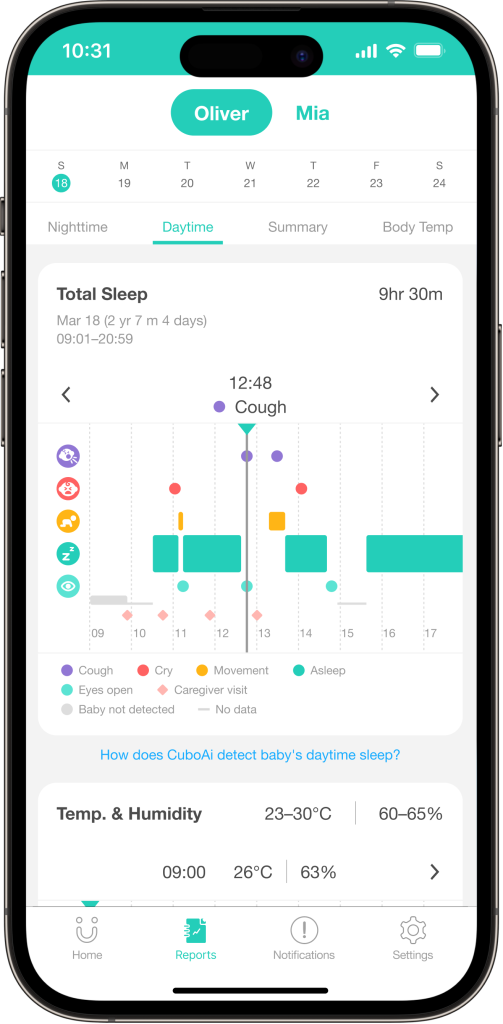
Cough Detection
When your child is unwell, it can be surprisingly hard to explain how often they coughed overnight or what the cough sounded like, especially if you are running on limited sleep yourself. The monitor tracks coughs around the clock and saves video and audio clips that you can share with your doctor, which gives them something concrete to go on. It won’t diagnose anything, but it can make a short appointment more productive and save you from trying to explain what the cough sounds like in the consulting room.
Temperature and Humidity Alerts
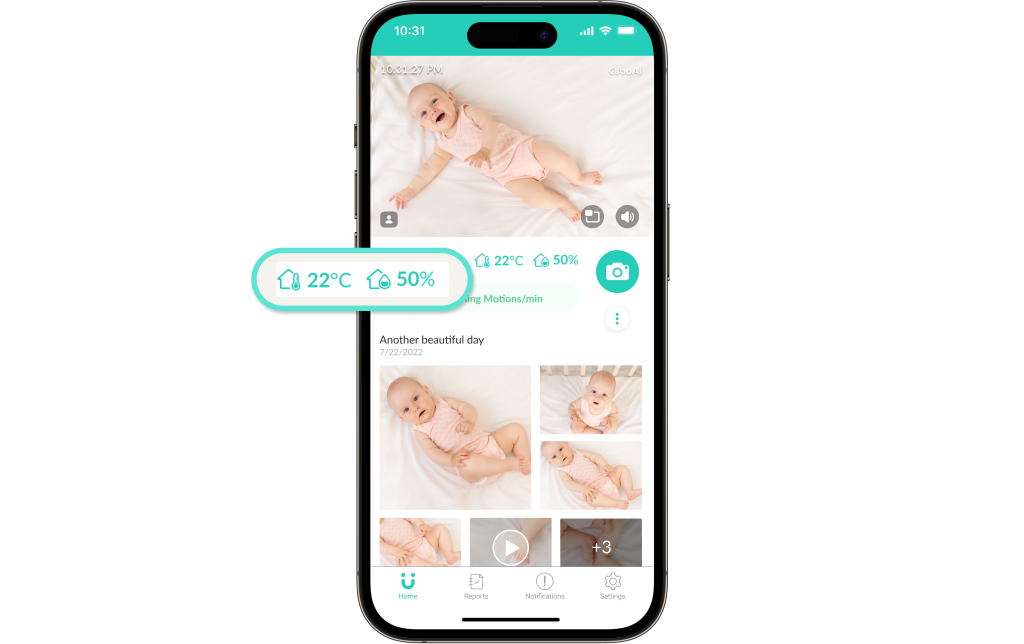
Keeping the nursery comfortable makes a difference to how well your baby sleeps, and it’s not always easy to judge from the doorway whether the room is too warm, too cool or too dry. The app sends you a notification when the temperature or humidity needs adjusting, so you can fix it without going in to check and risk waking bub. It only detects the temperature and the humidity of the room though, and not your baby’s body temperature, so it doesn’t replace a thermometer if you’re worried about a fever.
Two-Way Audio
Two-way audio lets you talk to your baby through the monitor from your phone, so you can offer some soothing words without opening the door. Sometimes a familiar voice is all it takes to settle them back down, and being able to reassure your little one from the next room means you’re less likely to wake them up fully by going in.
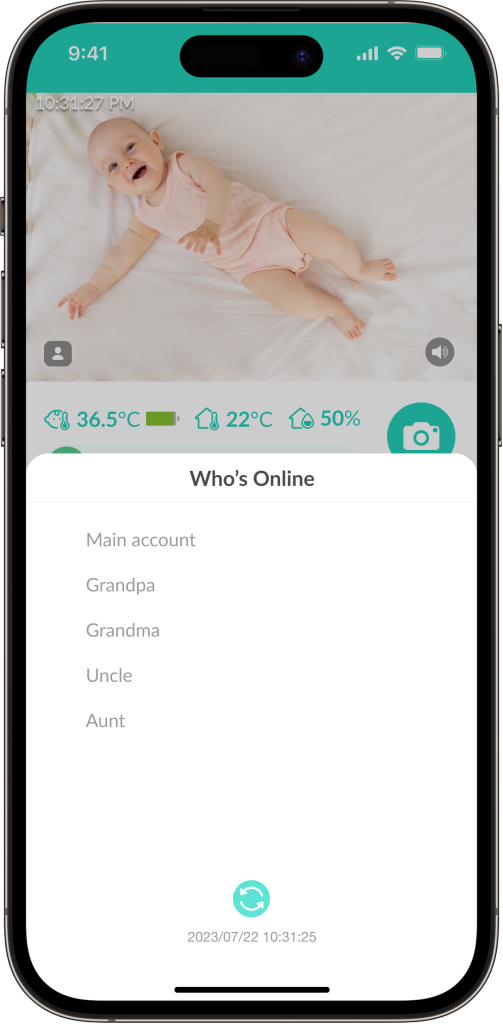
Family Sharing and Picture-in-Picture
Family sharing and picture-in-picture are included with the monitor. The Moments Wall and daily highlights are free for the first year, then need a CuboAi Care plan.
Up to 8 people can be logged in at once, so your partner, grandparents or a carer can check in from their own phones or tablets, and everyone logged in to the app gets the notifications. Picture-to-picture keeps the live feed in a small window while you use other apps, so you can reply to messages or get some work done without losing sight of bub. The app also takes photos automatically when the AI detects smiles, cries and big movements, collects them on a Moments Wall, and puts together a daily highlight time-lapse you can share.
What to Check Before You Buy
The best way to decide what’s worth paying for is to think about how you’ll actually use the monitor. If you’ve got a newborn, the safety alerts and sleep tracking are probably the features you’ll use the most, while parents of older babies may get more out of the danger zone detection and growth tracking. Before you buy, it’s worth checking that you have home Wi-Fi and a smart phone running iOS 16 or Android 12 or newer, as the CuboAi Smart Baby Monitor needs both to work with the app.